9/15/09

Planning the database

Db
I decided that database will be consist from the following tables:

  • surveys
    This table stores all the surveys, their description and their ID number 
  • questions
    In this table will be placed all the questions of each survey
  • answers
    This table contains all answers of each questions (One question may have 1- many answers)
  • users_answers
    In This table i will gather all the answers that user made when he answered the survey.
    (after the answerer press the 'submit' - each answer will be inserted as row into this table along with user_id and answer_id from answers table)
Some of my blog devoted readers may ask: Where is the users table? Well,  right, there must be. But lets speak about it later...

Some other planning stuff
There are some rules i decided to place here, because they have thight inflence on database:

  1. Each user can answer each survey only once.
  2. Published surveys cannot be editable.
  3. all answers checked by user will be stored with it's answer id and user id in row at user_answers table.
    (It means that only after user marked all the answers and pressed the 'submit button' the answers will be inserted to database)

9/14/09

Panning the Project

This stage I believe is the important one in the project -to plan the gui. What and how and to whom will be displayed at each stage of application.
So here is the plan of the pages:


About each page:
Since there is two kind of pages- those which will be visible to regular users (survey answerers)

and those which will be visible to application adminstrator
i gave the page names different coloring: the admin pages are blue and the others are red.


  • home
    In this page will have only login  control  and register link since all (even survey takers ) have to register(sign up) themselves with some elementar personal details. This will give me the ability to identify the answers of each user. 
  • survey
    In this page all the surveys questions will be dispayed to user, and the submit button will send all his answers to appropriate database fields.
  • thanks
    In this page will be display the "thank you" message after user successfully finished to answer the survey.
  • admin_home
    In this page will be a list of all surveys. 
  • build_question
    Here will be a form there administrator  will be able to
    Add a new question to survey: define the question type and add the answers.
  • all_answerers_of_survey
    Here the administrator will see the list fo all answerers of current survey .
  • view_answers
    Here the administrator will be able to view the survey results (answers) of each user.


The M-survey Project

About M-survey project:
Today I'm starting to work on M-survey project, the web application i'm going to build soon.
I'm working on Miscrosoft V.S. 2008 platform. I want to publish each step of my work, because i think, it will be interesting for some .Net (and may be other kind) programmers ( especially beginner ones ) to follow the process.

Application features:
The application must display surveys on internet and each person who want can be able answer the survey.
Also the apllication must have the managemnt panel there the administrators can build new surveys and check/view the answers of all who chose to answer the surveys.

Its not looks too complicate ,but for me - to build the application and to blog about it -its interesting and challenging project.

Logo
Now here is the logo image a've already designed for the application:
Well its not the the piece of art , i know, but this is the programming project, not design...

Getting started with docker

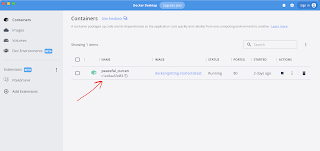
It is very simple to get started usig docker. All you need to do-is download the docker desktop for your system Once you get docker syste...